Over the past few months, we’ve made major enhancements to the Bridge Dashboard to ensure it can serve as a central command center for operational teams managing payments, customers, wallet accounts, and more. Teams increasingly want the flexibility to operate directly within the Dashboard - and now, that’s possible. From treasury management to compliance workflows, the Bridge Dashboard now supports core operations without requiring API integrations. We’ve rounded up all the updates to the Bridge Dashboard here.
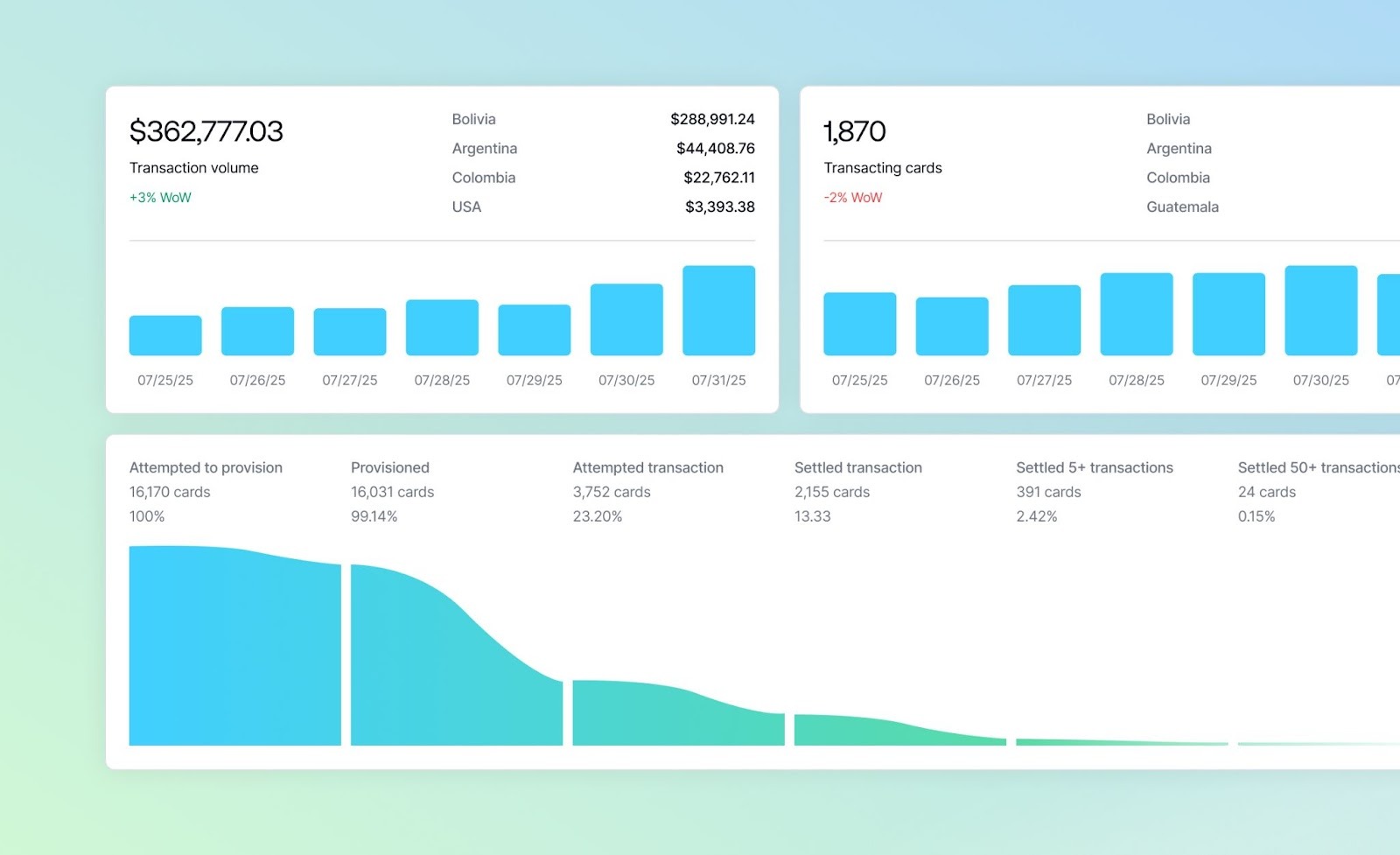
Monitor the health of your card program
On the Cards tab of the Dashboard, developers who have launched stablecoin-backed card programs can monitor everything about their program – from activation funnels, transaction breakdown, and decline reasons to customer card details, spend limit details, and connected wallets. You can also freeze cards and access and download monthly card statements.
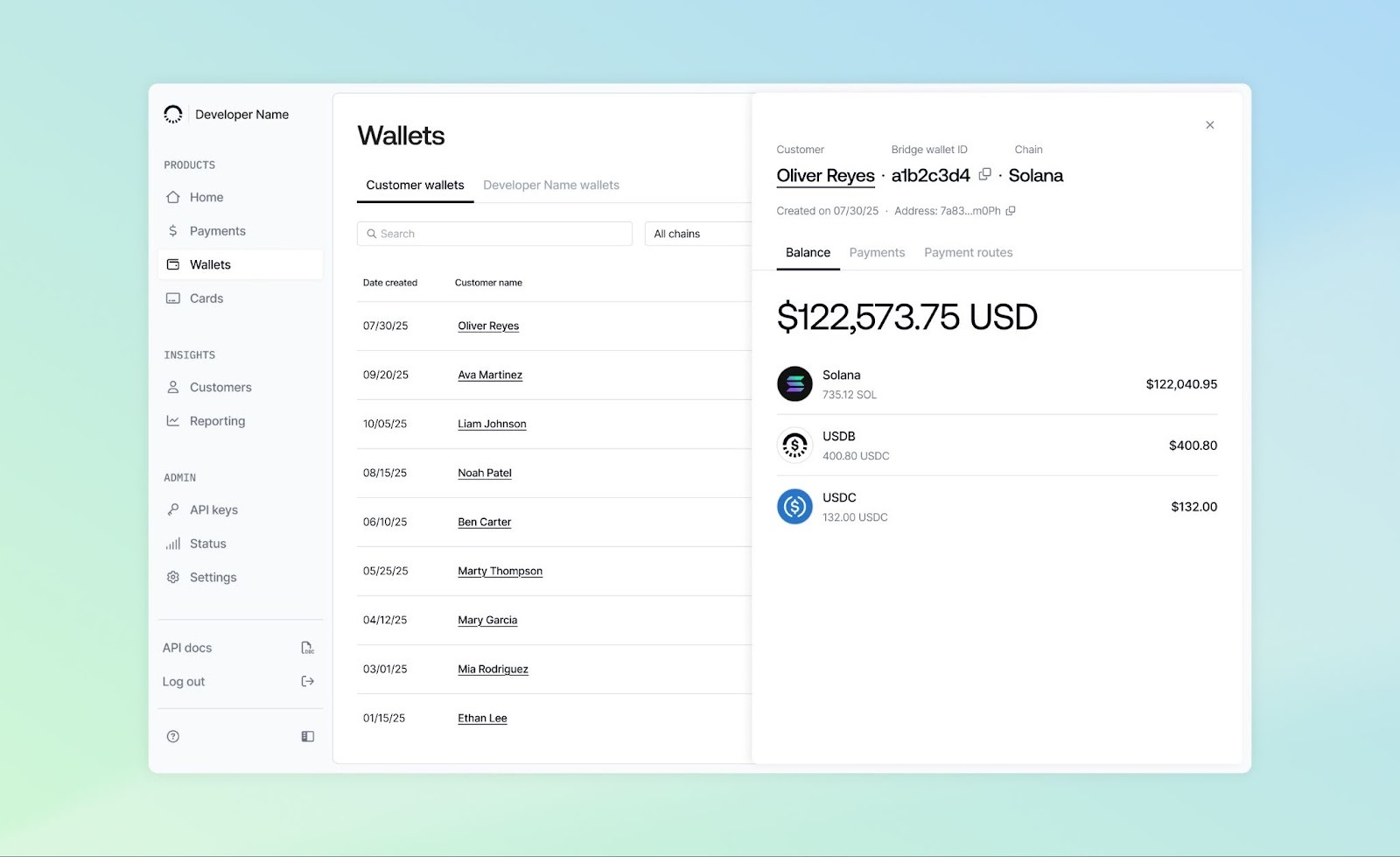
View and manage customer wallets
The Wallets tab of the Dashboard enables you to dive into all of your customer wallets and view balances and transactions.
- Search for a specific wallet using the wallet ID, customer ID, or complete customer email and filter wallets by chain
- Within each wallet, view balances across different currencies, associated payments, and associated payment routes such as an onramp route
- Inspect the wallets on a blockchain explorer
Move your own funds for internal treasury management
Developers can also use the Wallets tab to manage their internal treasury. These capabilities give teams real operational autonomy, without compromising on security. Developers can move funds in and out of developer-owned wallets for internal treasury operations. For an additional layer of security, we have added a 2FA step when direct transfers from developer-owned wallets are initiated, as well as custom role permissions (configured in Settings) to give you more control over who on your teams can view and manage wallets.
Edit customer bank accounts, payment routes, and payment receipts
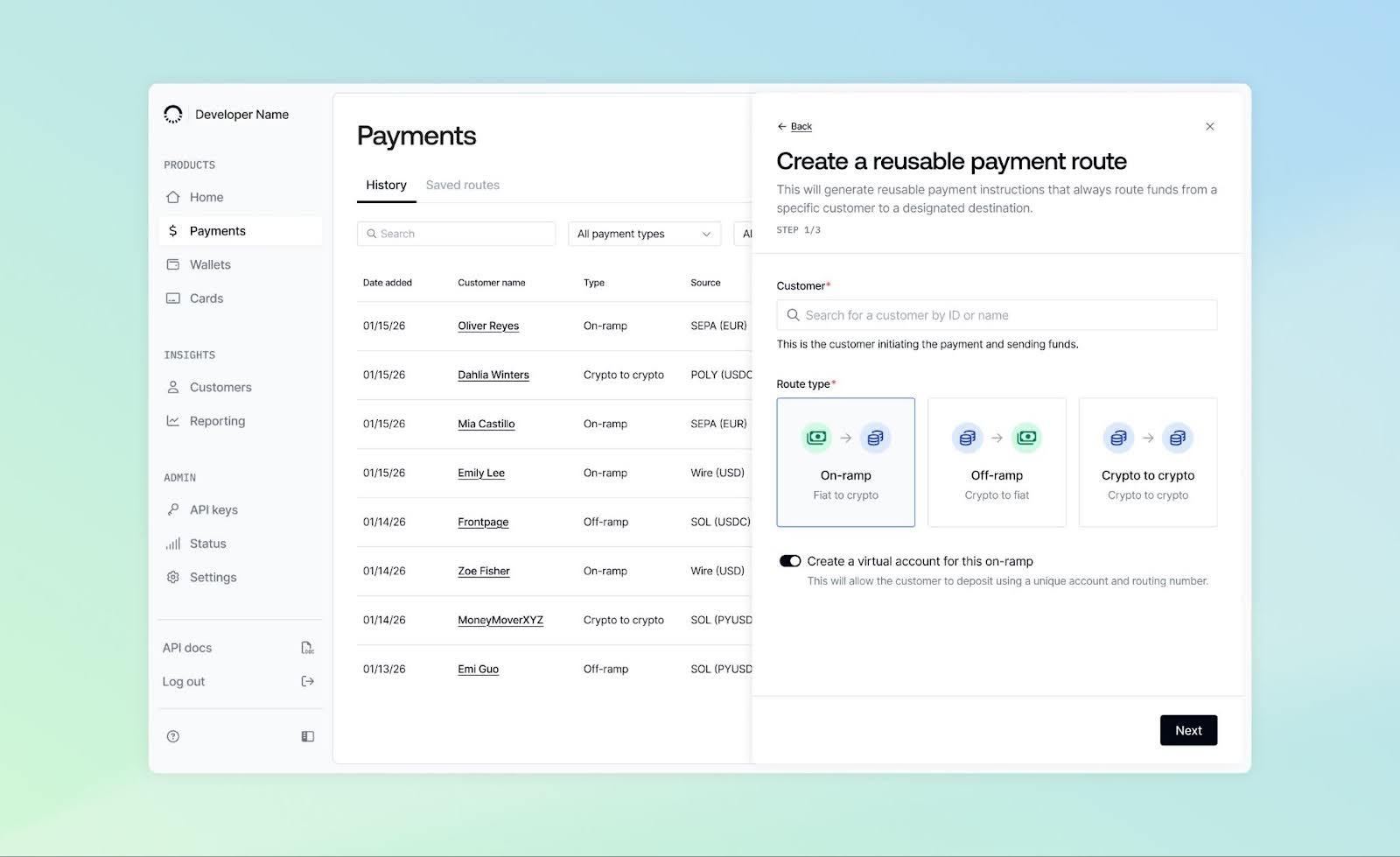
With the Customers tab, you can now manage customer accounts and payout details.
- Enable same-name payouts (starting with USD wires), allowing developers to choose what name appears on customer receipts
- View and edit customer external bank account information
- Add new external accounts directly
- Update payment route destinations without creating a brand-new route
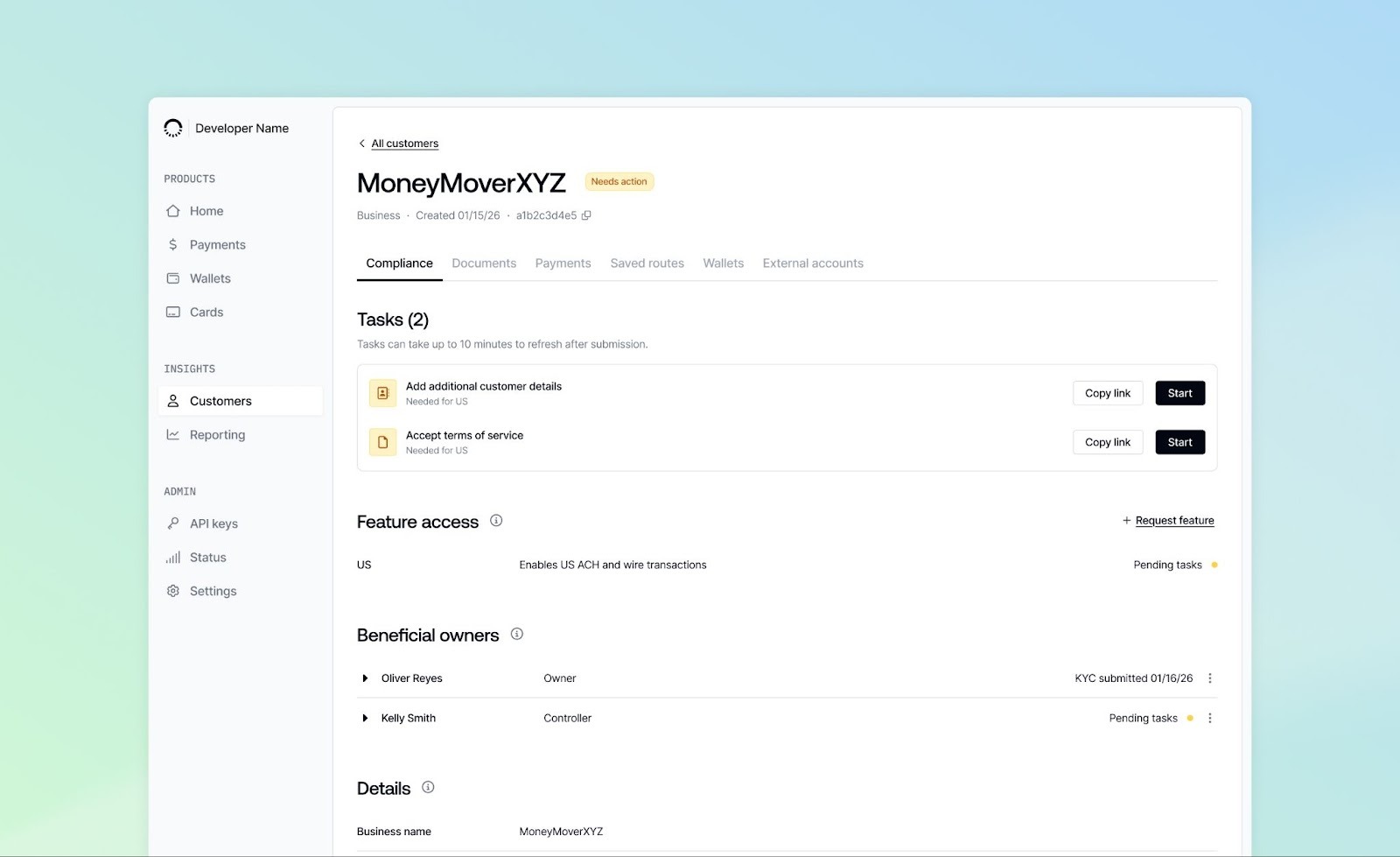
Gain more compliance visibility into KYB, KYC, and UBO tasks
Compliance workflows that previously lived in external tools have moved directly into the Dashboard, giving developers more transparency, control, and efficiency when onboarding customers.
- See exactly what KYB, KYC, or UBO information is missing
- Upload and submit required documents directly in the Dashboard
- Track customer compliance progress without restarting workflows
Resolve unmatched deposits faster
Until recently, unmatched fiat deposits required developers to provide missing information to Bridge Help Desk via Slack or email to resolve. Now, you can self-serve unmatched deposits directly in the Dashboard – these show up as Tasks on the Homepage. Easily and quickly match, return or update deposits, ensuring that payments are delivered in a timely manner.
Gain more oversight with team management, permissions, and SSO
Enterprise teams now have the controls they need to operate securely with:
- Single Sign-On (SSO) support when accessing the Dashboard
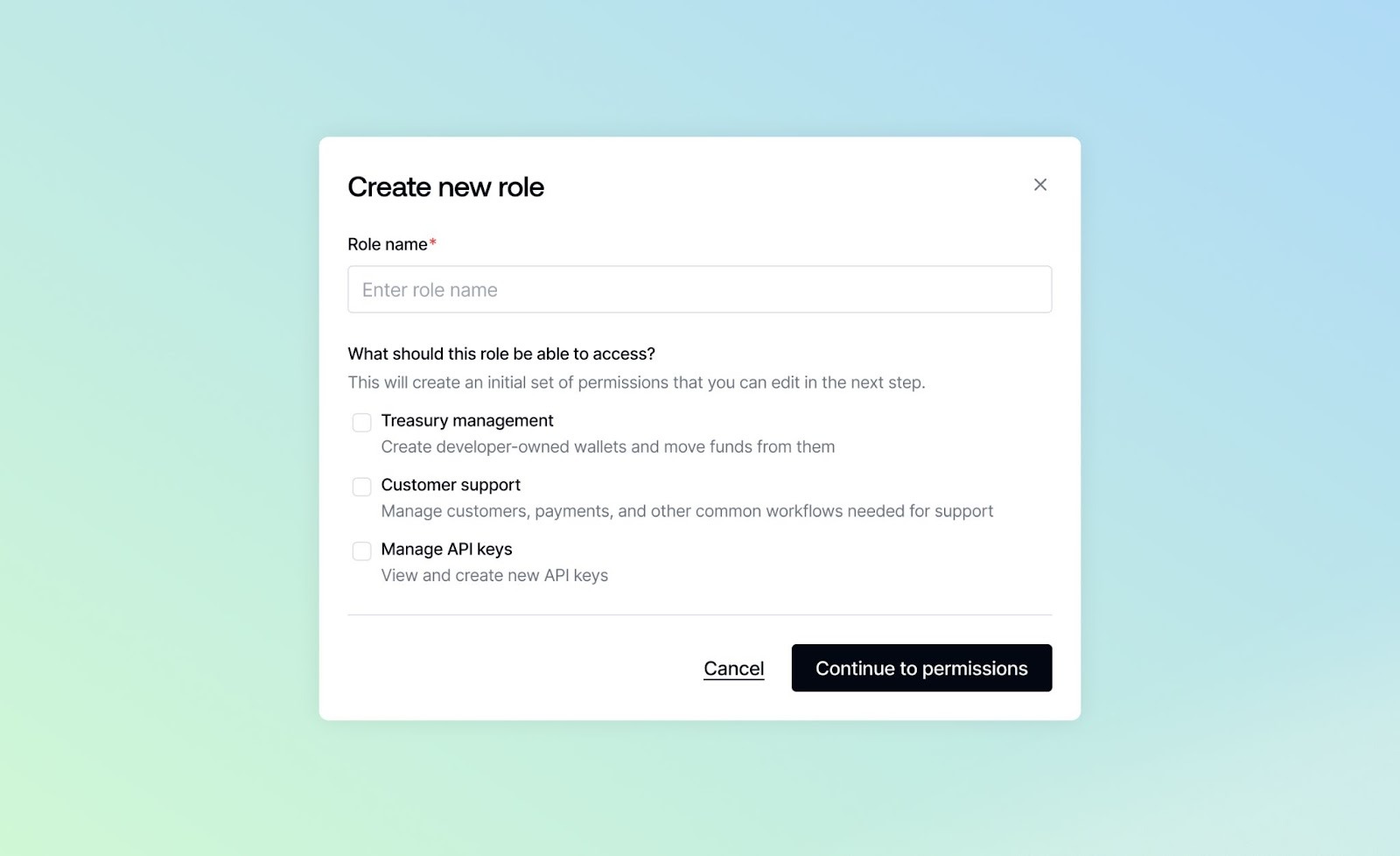
- Team and role management with custom roles for granular permissions
Manage webhooks in one place and get alerted faster
We now have a dedicated webhook page within the Settings tab, giving developers full visibility and control over their webhook configurations:
- View all webhook endpoints in one place
- Create new webhooks
- Modify subscribed events
- Troubleshoot integrations faster with clearer webhook status information
On the Dashboard Homepage, you can also see Tasks for delayed webhook deliveries, making it easier to identify and resolve issues without opening a support ticket.
Manage and monitor your developer fee revenue
Developers can now manage their fee payouts directly from the Dashboard. This reduces operational friction and keeps financial visibility centralized.
- Add a USD payout account to receive developer fee payouts
- View payouts and related reporting in the Reporting tab
Where we’re headed with the Dashboard
These updates represent a big step forward in making the Bridge Dashboard a complete operational hub, not just a monitoring tool. By combining powerful controls, improved visibility, and security, we’re giving teams the flexibility to build and scale on Bridge in the way that works best for them. We’re excited to keep expanding functionality within the Dashboard.